
September 14, 2026
Affordable home desk accessories worth buying
Looking for affordable accessories for a home desk? This way you will choose small products that free up space, improve comfort and maintain an orderly work environment without exceeding your monthly budget.
The charger falls behind the desk, the mouse drags a cable with it, and the only pen that writes disappears right before a video call. Affordable home desk accessories don't have to be flashy gadgets - sometimes a small, cheap product solves an annoying habit that repeats dozens of times a week. The goal is not to fill the table with more items, but to choose upgrades that free up space, save time and improve comfort in front of the screen.
Why a home desktop needs small solutions
A tidy office usually has drawers, a charging station, permanent lighting and a designated place for equipment. At home, on the other hand, the work desk may also be a dining table, a study corner or a temporary surface next to the sofa. Therefore, the right items should be compact, easy to move and useful even when space is limited.
Before you buy, you should identify what really bothers you on a normal working day. If the cables get tangled, a phone stand won't change the picture. If your neck hurts because the screen is too low, a desk storage solution would be nice but not urgent. Smart buying starts with a clear problem, not just a high discount.
Affordable accessories for a home desk in order of priority
Not every upgrade needs to go into the basket at the same moment. Those starting from scratch can first choose products that improve order and ergonomics, and only then add comfort and aesthetics. This is a simple division that helps keep a reasonable budget:
- Solutions for cables and electricity.
- Convenient support for a screen, laptop or phone.
- Lighting that is suitable for working hours.
- Small storage for equipment that is in daily use.
- Additions that reduce strain on the hands and wrists.
If you mainly work with a laptop, a folding stand and an external keyboard can be a more noticeable investment than a new desk lamp. If the job involves calls, product photography, or online classes, lighting and a phone stand may take priority. There is no one set of accessories that fits all.
Cable organizers and cable holders
This is one of the cheapest upgrades with the most immediate impact. Small cable holders that stick to the edge of the desk keep the charging cable, headphone cable and mouse cable close at hand. Instead of bending down and looking behind the table, each cable returns to the same place.
For a table with a lot of equipment, you should also check a sleeve for cables, a hiding box for the splitter or reusable clips. It is important to measure in advance the thickness of the cables and the space under the table. A cheap organizer that does not fit a thick cable or falls off after a week is not a profitable deal, even if its price is low.
A stand for a laptop or monitor
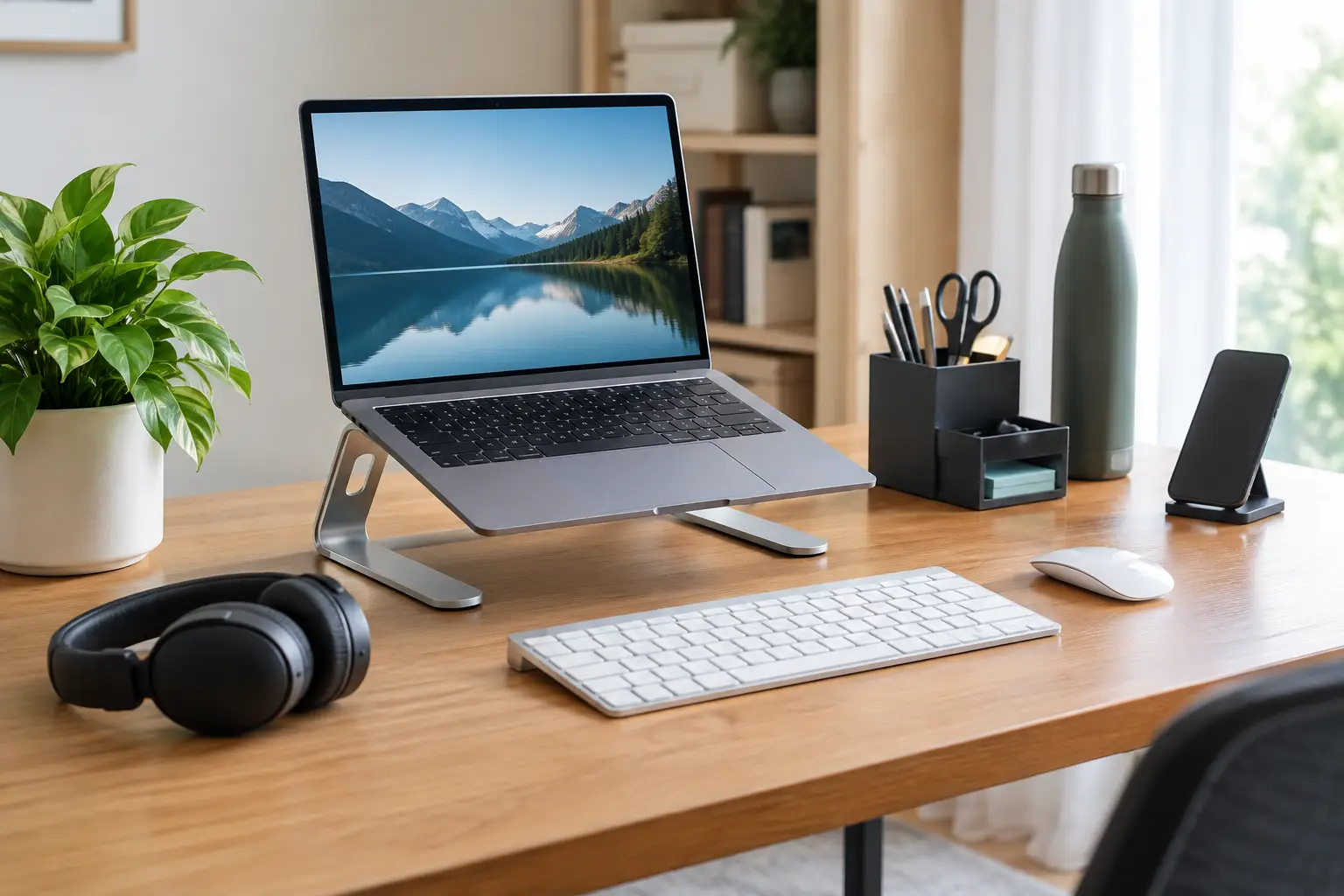
A screen that is placed too low causes many people to bend down without noticing. An adjustable stand for a laptop raises the screen to a more comfortable height, frees up space under the computer and sometimes also improves the air flow around it. Folding models are especially suitable for those who fold the workstation at the end of the day.
Here you should not compromise only on appearance. Check the size of the computer that the stand supports, the carrying weight, the width of the base and the type of anti-slip feet. For a heavy computer or a wide screen, a more stable stand is better, even if it costs a little more. On the other hand, for those who work a few hours a week, a simple aluminum model can definitely be enough.
Phone stand and charging accessories
A phone lying flat next to the keyboard turns every message into a small distraction. A desktop stand places it at a comfortable angle for calls, notifications and use as a secondary screen. It is also useful for those who listen to meetings, check verification codes or use the phone as a camera in video calls.
A good stand should hold the phone even with a cover, allow the transfer of a charging cable and not block the speaker. You can choose a folding and cheap model, but if you make long video calls, look for a wide base and a hinge that doesn't come loose easily. An integrated wireless charger can save cable, but only if your phone supports such charging and if it does not heat up the device during prolonged use.
A table lamp or a lighting strip for the screen
Weak lighting causes fatigue, especially in the evening. A desk lamp with an adjustable arm allows you to direct light to documents, a keyboard or a notebook without dazzling the screen. A lighting strip that connects to the top of the screen can be a space-saving solution, but it is not suitable for every screen thickness and does not always spread light over a large area.
You should look for an adjustable intensity and a light shade that can be changed. Cool white light may be suitable for tasks that require concentration, while warm, low light is more pleasant towards the end of the day. Those who work in front of a window should also examine reflections - a strong lamp in the wrong place can make them worse.
Large mouse pad and wrist support
A large mouse pad creates a uniform working area for the mouse, keyboard and coffee cup, and sometimes protects the table from scratches. It is a particularly good choice for tables with a surface that is too smooth or too rough. It is important to choose a size that fits the depth of the table, otherwise the surface will be pushed under the keyboard or folded at the edge.
A wrist support pad can be comfortable, but it does not solve an incorrect working position. If the mouse is too high, the chair is too low or the hand is leaning at an unnatural angle, it is best to first change the height and distance of the equipment. A support accessory is an addition, not a substitute for correct posture.
Desk drawers and small organizers
Pens, storage drives, notepads, adapters and headphones add up quickly. A drawer that connects under the table or a small organizer with compartments can restore free work space without adding a large piece of furniture to the room. For those who work from a dining table, a portable organizer with a handle can be preferable to a fixed drawer.
Look for compartments in sizes that fit the things you actually use. An organizer that is too deep easily becomes a new mess box. On the other hand, a shallow drawer for small things, together with a dedicated device for headphones, usually create a noticeable change without taking over the table.
How to spot a good deal and not just a low price
When buying small products it is easy to be tempted by the price, but the full picture is in the details. A product with a high discount that requires a quick replacement or does not fit your measurements will cost more in time and frustration. Before adding to the cart, check a few simple signs:
- Exact measurements, including height, width and space for connections or cables.
- Photos of the product in use, not just a studio photo.
- Consistent ranking and number of orders that provide an indication of real demand.
- Reviews with pictures or comments on stability, material and quality of adhesion.
- Final price that includes shipping, and not just the price that appears at the beginning of the list.
A significant discount is a good reason to check out a product, not a sufficient reason to buy it. You should compare several options in the same category and pay special attention to the specifications. For example, a stand that looks almost the same in the picture may hold a completely different weight, and a cable organizer may come in an amount or size that does not fit your stand.
We built a position that is easy to maintain
The common mistake is to buy a lot of accessories at once and find that the table is more crowded than before. Start with two products that address a real problem, use them for a week or two, then decide what else is missing. This way it is easier to know if you need lighting, storage or rather a cable solution.
You should also leave one area free on purpose. A desktop doesn't have to look like a technology catalog to be effective. Free space for a notebook, a cup or an urgent task is part of the order, just like a stand and a drawer.
When you choose a small accessory with a clear function, the low price becomes a real saving: less time looking for equipment, fewer cables on the floor and a workstation that is pleasant to return to every morning.