
October 20, 2026
Do home cameras require a subscription? Check before buying
Do home cameras require a subscription? Before buying a security camera, check what is stored locally, what is uploaded to the cloud, and which functions will remain available without a monthly fee as needed.
A home security camera for NIS 80 or NIS 120 can seem like a great deal, until the setup screen offers a monthly payment to watch the recordings. So do home cameras require a subscription? Not always. In most cases you can use the camera even without a subscription, but the important question is which capabilities you will get for free, what will be blocked free of charge, and whether the cost of the subscription over time makes the low price less attractive.
For those looking for a cost-effective solution for a house, rented apartment, pet or front door, there is no one-size-fits-all answer. A cheap camera with a memory card can be just what you need. On the other hand, those who want to save video history, receive smart alerts and access photos even when the camera is stolen, may prefer a paid cloud service.
Do home cameras require an actual subscription?
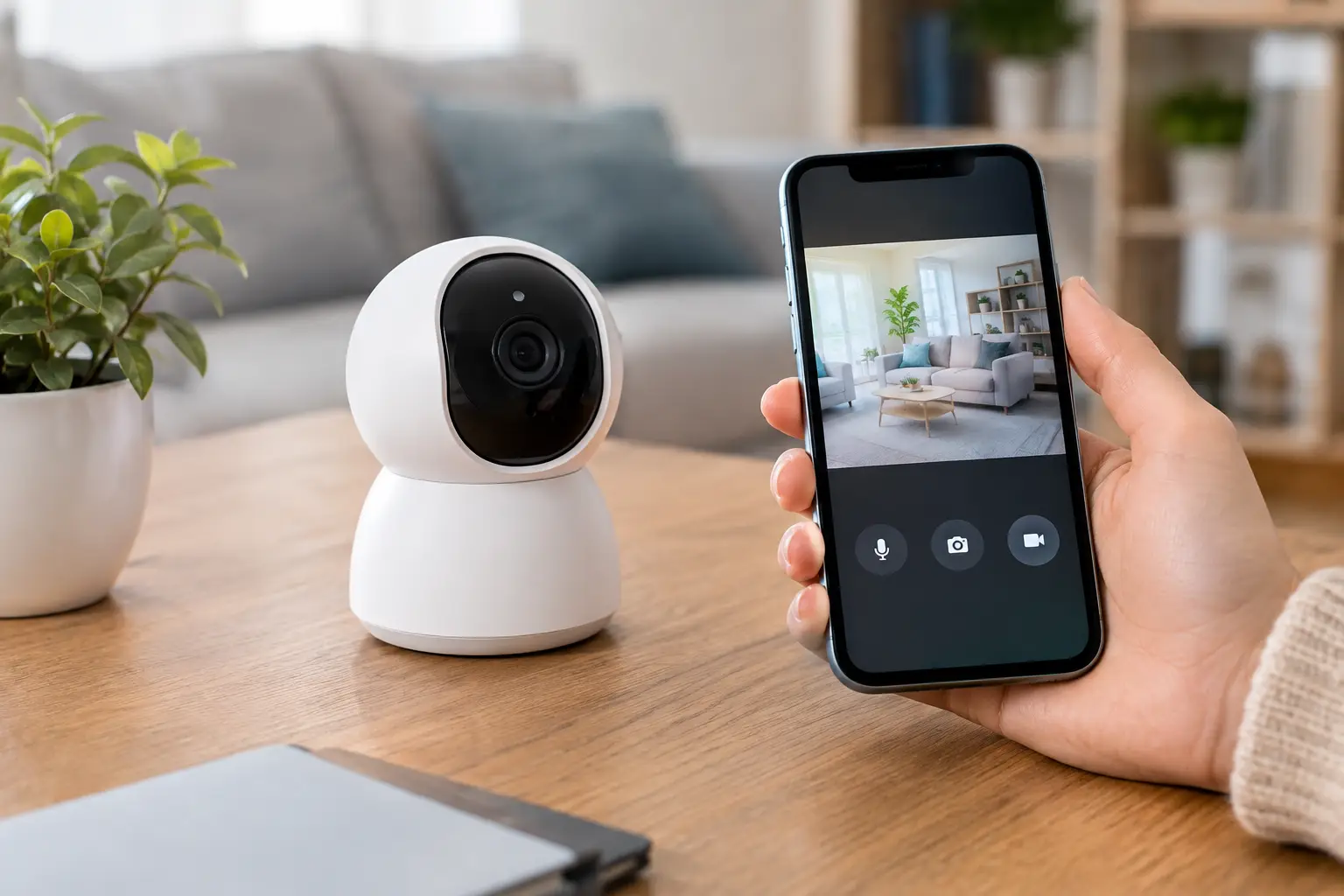
The camera itself doesn't usually require a subscription to take a photo, view a live feed in the app, or send a basic motion alert. Many models allow you to connect the camera to the wireless network, watch what is happening at home in real time, speak through a speaker and microphone, and record to a local memory card.
The subscription comes into play mainly around cloud storage and advanced features. The manufacturer operates servers for video storage, and in return offers access to a history of days or weeks, intelligent filtering of events and sometimes extended support services. Therefore, the word "free" on the product page is not enough. You need to understand exactly what remains active after the trial period, if there is one.
Some cameras only have local storage. Others work both with a memory card and with the cloud, but promote the subscription in the application. There are also models where continuous recording or people detection are only available in a paid plan. This difference affects much more than the number of megapixels that appears in the product title.
What do you get without a subscription and what might cost money?
Without a subscription, you'll usually get live streaming, basic traffic alerts, two-way audio and the ability to record locally - provided you've bought a suitable memory card. In some cameras, you can also take a photo or record a short clip manually through the app.
The monthly fee may include cloud storage of videos, usually by the number of days you can go back. It may also include person, vehicle or package detection, customized activity zones, alerts that filter out irrelevant movements, and easier downloading of videos.
The great advantage of cloud is not only convenience. If someone disconnects the camera, takes it, or damages the memory card, the event may still be saved to your account. In local storage, however, the video remains on the card inside the camera. This is a weakness that should be taken into account when it comes to entering a house or an outdoor area.
On the other hand, not every use justifies a cloud. A camera aimed at a dog in the living room, a sleeping baby or a small warehouse does not necessarily need a month's worth of video history. If the goal is to check in real time that everything is fine and receive an alert when there is traffic, local storage can save a fixed expense.
Local storage: the simpler deal, with some conditions
A camera with a memory card slot is sometimes the most affordable option for buyers who prefer a clear price up front. Buy a camera, add a suitable card, and receive recordings without a monthly charge. Check what is the maximum card volume that the model supports, and whether it records continuously or only when motion is detected.
Recording by movement saves space and makes searching easier. Instead of going through hours of empty video, you'll only see relevant events. However, cheap or poorly tuned motion detection can generate dozens of alerts because of a moving curtain, a shadow, a cat or a car on the street.
A memory card is not a one-time purchase forever. Cameras write data on it over and over again, so you should choose a card that is designed for continuous recording and not the cheapest option without clear specifications. It is also important to check from time to time that the camera is indeed recording and that it is possible to open the segments from the application. A security system that has not been tested before a real event may fail at the wrong moment.
When can a subscription be worth the money?
A subscription can make sense when a camera is used to secure an entrance, parking lot, yard or small business. In such areas it is more important to keep records even if the hardware is damaged. It is also suitable for those who do not want to deal with cards, deletions, backups and complex settings.
The smart notifications can also justify a monthly cost. If a camera in front of a street sends an alert for every movement, it quickly becomes noise that people ignore. Person recognition, for example, can reduce useless alerts and help you see only what really requires attention.
Before deciding, think about the annual cost and not just the monthly price. A small subscription that seems negligible can reach within two years the price of an additional camera, and sometimes even more. If you have three or four cameras, check if the price is per camera or per account. This is a point that changes the deal completely.
How to check a product page before ordering a camera?
On a product page full of promises such as high quality, night vision and 360 degree rotation, it is easy to miss the details that determine the cost of use. Focus on specifications and buyer reviews, not just the marketing images.
Look for clear answers to four questions:
- Is there recording to a memory card without a subscription, and what is the supported volume?
- Are live viewing and traffic alerts free?
- Which features require a cloud or paid plan?
- Is the application supported in clear Hebrew or English, and does it receive updates?
If the subscription information doesn't appear, look in the reviews for mentions of words like "cloud," "storage," "memory card," and "payment." User reviews are a good way to find out if the app is pushing a subscription aggressively, if local recordings are stable, or if there are limitations that weren't clear in the description.
Also check the seller rating, order quantity and real photos uploaded by buyers. In ultra-cheap cameras, the quality of the app and the cloud service are almost as important as the lens itself. A product that looks similar on the outside may work with less reliable software, a slow connection, or limited support.
Don't pay for features you won't use
An indoor pet camera and an outdoor gate camera are two different purchases. For indoor use, a simple model with a memory card, good night vision and two-way audio is sometimes preferable. For use outside the home, you should check for water resistance, shooting angle, stable connection, smart alerts and the possibility to save it outside the camera.
Those looking for a deal should compare the total price: camera, memory card, installation accessories, and perhaps also an annual subscription. A camera with a low opening price is not necessarily the cheapest choice. On the other hand, there is no reason to pay in advance for cloud, advanced detection or continuous recording if your need is limited to a brief glance at home during the work day.
frequently asked questions
Is it possible to use a home camera without internet?
Sometimes yes, for local recording or home network viewing, but remote access and phone notifications usually require an internet connection. The exact way depends on the model and application.
Does a memory card eliminate the need for a subscription?
It can eliminate the need for a basic storage subscription, but not necessarily features like people recognition, cloud backup or remotely accessible video history in case of theft.
How long are recordings kept on the card?
It depends on the capacity of the card, the resolution, the number of events and the recording method. When the card is full, most cameras automatically delete the oldest clips.
The right choice is not between a camera "with a subscription" or "without a subscription", but between paying for convenience and backup and a local solution that is sufficient for your needs. When you check the cost of use up front and not just the price tag, it's easier to find a camera that provides security without adding surprises to the monthly bill.