
October 30, 2026
How to choose a fast charging adapter without paying too much
How to choose a fast charging adapter according to the device, the power and the appropriate device? A short guide that will help you compare chargers, avoid unnecessary purchases and find a profitable and safe deal for a smart purchase.
Did you run out of battery just before going out, but the new adapter you bought is still charging at a slow rate? In most cases, the problem is not with the phone, but with the compatibility between the device, the adapter and the cable. To understand how to choose a fast charging adapter, you don't need to get involved in technical terms - you need to check some brief data and pay only for what will really improve the charging speed.
A good adapter can charge a phone quickly, replace several old chargers in one outlet, and save space in your bag or bedside. On the other hand, the high power on the packaging does not guarantee that your device will receive it. The right choice starts from your needs, not from the biggest number in the ad.
How to choose a fast charging adapter according to the device
The first step is to check the maximum power that the phone, tablet or laptop can receive. Power is measured in watts. If the phone supports up to 25W charging, a 65W adapter won't make it charge faster. It can be a good choice if you want to charge a laptop in the future as well, but there's no reason to buy it just for the same phone.
For many phones a 20 to 30 watt adapter will definitely be enough. Some devices support 45, 67 or even 100 watts, but sometimes they require a specific charging standard or a suitable cable to reach the full rate. In small laptops you should generally look for 45 to 65 watts, while a more powerful computer may require 100 watts or more.
It is also important to distinguish between peak fast charging and actual charging time. Most phones charge extremely fast when the battery is low, then slow down around 70 to 80 percent to conserve battery. Therefore, a quality adapter will not necessarily fill the battery at a uniform rate, and this is perfectly normal.
Check which connection you have
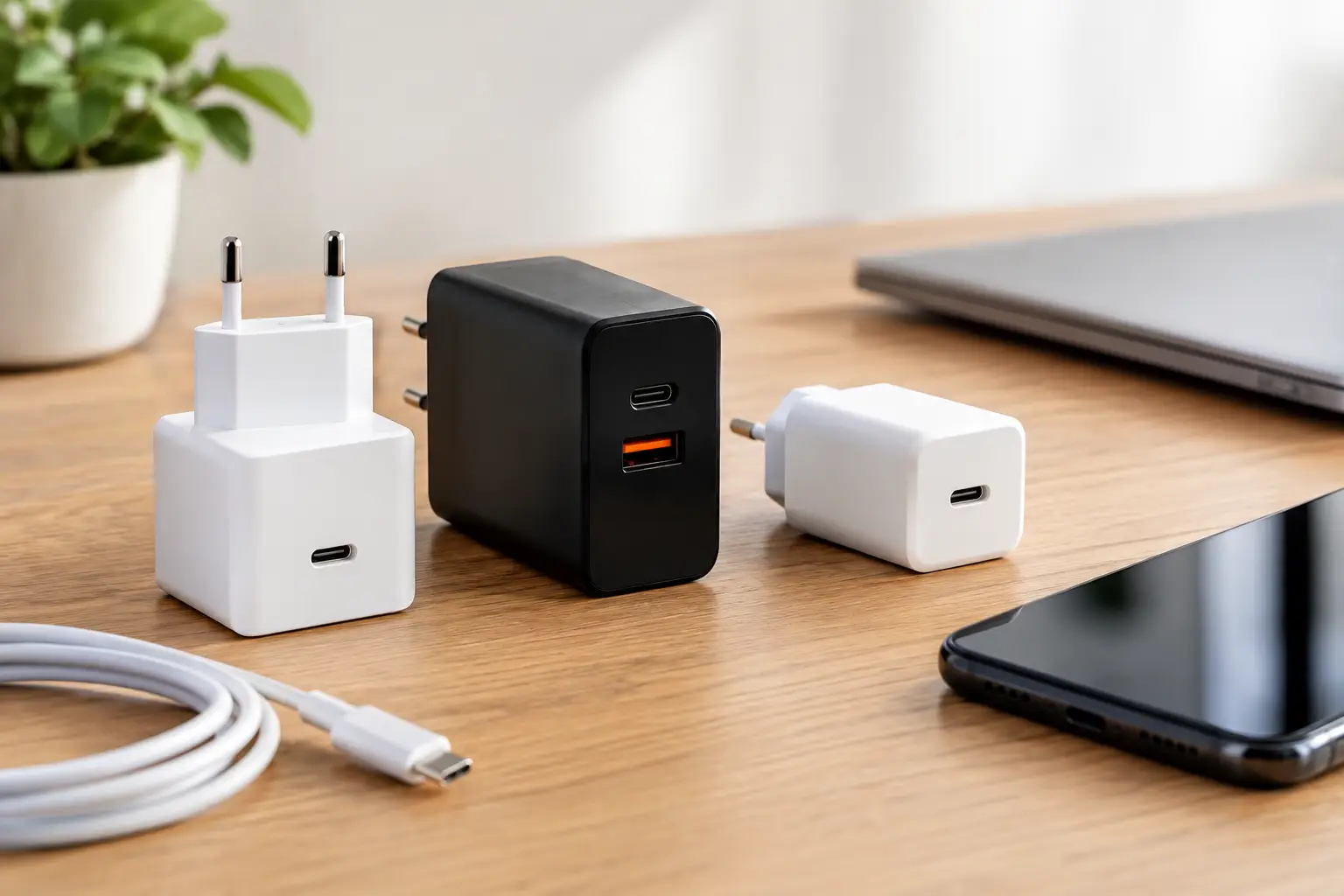
The most common connection today is USB-C, and it is the most flexible choice for those who want to use the same adapter for a phone, headphones, tablet and sometimes also a computer. Older Apple devices may use a dedicated connection at the end of the cable, but on the adapter side you should still prefer a USB-C port.
The USB-A port is still useful for old cables and accessories, but it is less suitable for those looking for high speeds over time. If you have several new devices, an adapter with USB-C ports is usually a more future purchase. Those who also keep old accessories can choose a combined model with a USB-C port and a USB-A port, provided that the total power is suitable for the need.
The device is just as important as the number of watts
The provider is only part of the picture. Adapter and device need to speak the same language to enable fast charging. The most common and best device to look for is USB power supply, sometimes known as PD. It is suitable for a wide range of phones, tablets and computers, so it is an especially convenient choice at home with different types of devices.
For better compatibility with certain phones, look for PPS support as well. This is a mechanism that allows a more accurate adjustment of the voltage and current, and is sometimes required to get the maximum charging speed on advanced Android devices. Some phones also have a fast charging standard from a certain manufacturer. If full speed is important to you, check the device specifications to see if a dedicated standard is required and not just high power.
There is no need to chase every shortcut that appears in the ad. For most buyers, a USB-C adapter with PD support and the appropriate power for the device will be the simple and cost-effective solution. PPS is a good addition if your phone supports it. A rare standard that is not compatible with the other devices in the house is worth less than a flexible adapter that you will use every day.
Don't forget the cable
You can buy an excellent adapter and still get slow charging because of an unsuitable cable. Cheap or old cables may only support basic power, wear out quickly, or heat up under load. If you bought an adapter of 60 watts or more, choose a cable that is specifically marked as supporting this power or more.
For telephone use only, a quality 60 watt cable will usually suffice. For a 100 watt laptop or adapter, look for a cable that supports at least 100 watts. The length of the cable also affects comfort: one meter is suitable for a table or car, and two meters is comfortable next to the bed or sofa. An extra long cable can be useful, but you should choose a thick, high-quality one to reduce wear and tear and charging problems.
If on the product page there is no clear information about the power supported by the cable, this is a sign to stop and check carefully. A low price is only an advantage if the product is able to do the job you bought it for.
Adapter with one port or several ports?
A single-port adapter is often small, simple and often offers the full power for one device. It's a good choice for a bag, for travel or for those who mainly charge one phone. A multi-port adapter is more suitable for a desk, kitchen or family where everyone is looking for a free outlet in the evening.
Here you need to read the specifications and not be satisfied with the title. An adapter marked as 65 watts may provide 65 watts through one port, but when charging two devices the power is split between them. For example, the phone can receive 20 watts and the computer 45 watts. This is fine in many cases, but less suitable if two computers need fast charging at the same time.
Check the power distribution table, if it appears in the description. It will show what happens when two or three ports are used. It's a small detail that saves disappointment after the purchase.
Size, warmth and safety: where you shouldn't save
Gallium nitride adapters, sometimes called GaN, have become popular because they are relatively small for the power they deliver. They can be an excellent choice for those who travel, work from cafes or want to free up space in the split. However, not every small adapter is necessarily better: under high load any adapter can heat up, especially if it is connected to a computer and a phone together.
Mild heat while charging is normal. Abnormal heat, plastic smell, noises, loose connection or repeated disconnections are not something to be ignored. Stop using such an adapter. It is better to choose a product with clear specifications, consistent reviews and a significant order rating, rather than an anonymous model that promises exceptional data at a suspicious price.
When shopping for a deal, look for real pictures of the product, a breakdown of the power for each port, the types of electrical protections and compliance with the desired standard. A high rating is a good starting point, but you should also read reviews that mention actual use with a device similar to yours. A high order quantity can give further assurance that the product is not just a new listing with impressive data.
This is how adapters are compared before buying
Before adding to the cart, compare the models according to four details: the power your device really needs, support for PD and PPS when required, the number of ports you want to run together, and the cable you already have or will need to add. Only then compare price, discount and rating.
A 30 watt adapter with the right standard and proper cable is a better deal than a 100 watt adapter you won't use. On the other hand, if you're buying a new charger for travel, a 65-watt model with two ports can save you space, one outlet, and the search for additional chargers. The choice depends on the use, not just the sale.
You should also think a year ahead. If you plan to change phones, start working with a tablet or travel with a laptop, a small extra for a more flexible adapter can pay off. If it's just a stationary charger next to the bed, a simple, compact and reliable solution will usually do a great job.
In the end, the best value adapter is the one that is compatible with your devices, provides the speed you can really get, and remains useful even after the sale is over. A two-minute test before buying can turn a small accessory into a daily upgrade that you feel every time you charge it.