
October 14, 2026
Recommended products for organizing charging cables at home and in the office
Looking for recommended products for organizing charging cables? This is how you will choose clips, boxes, sleeves and charging stations that will tidy up the table, at home and when traveling. No unnecessary mess every day.
The phone cable falls behind the table, the watch charger is wrapped in headphones, and on the dresser there are three adapters that no one is sure anymore who they belong to. Recommended products for organizing charging cables aren't just meant to make a corner look neater. They save time in the morning, reduce wear and tear on cables and prevent the familiar search for the only charger that works just when you need to go out.
The right solution depends on the place, the number of devices and the way of use. An apartment with a home workstation needs a different organization than a travel bag, and chargers that are permanently connected next to the bed require a different solution than cables that are exchanged between household members. Instead of buying random accessories, you should first identify where the mess starts.
First locate the load point
Look at the cables according to their route of use, not just according to the type of connection. A cable that charges a phone on the dresser should remain accessible and untangled. Cables under the table should be hidden, but still available if you need to change a charger or connect a computer. In the bag, the goal is to prevent tangling and keep the fasteners from stress and dirt.
The amount of cables also matters. If there are only two active charging cables, simple clips can solve the problem at low cost. If there is a splitter, chargers for the computer, screen, tablet and smart watch, it is better to build a neat charging area with a box or cable channel. Trying to squeeze a busy system into too small a solution usually returns the mess within a week.
Recommended products for organizing charging cables according to use
Cable clips for table and dresser
Clips with an adhesive base are the simplest choice for cables that are used every day. Stick them on the end of the table, on the side of the bed or on the side of the dresser, and thread the cable inside. This way the connector stays in a fixed place instead of falling to the floor.
You should choose clips with a slot that matches the thickness of the cable. A slot that is too narrow will stress the cable, and a slot that is too wide will not hold it well. For bedside use, a single model or a pair of small clips is usually sufficient. At a workstation, a set of several slots helps separate the phone cable, the headset cable, and the computer cable.
The downside is that the glue hangs on the surface. On rough wood, a painted wall or a dusty surface it may weaken. Clean and dry the area before gluing, and avoid pulling the cable to the side with force.
Collection sleeves and channels to hide cables
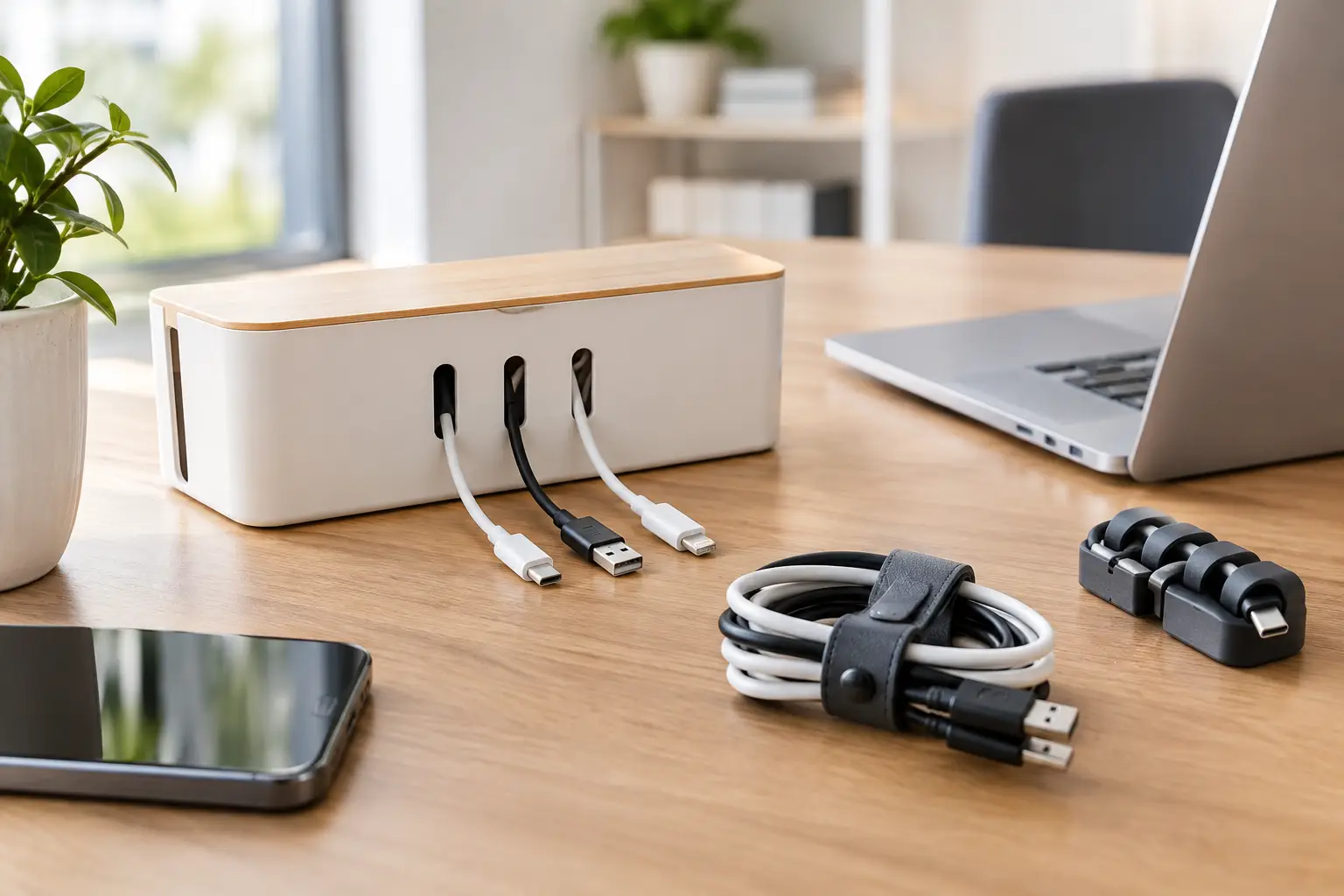
When several cables are coming off the same point, a flexible sleeve or cable channel is a cleaner solution than rubber bands and random ties. The sleeve bundles several cables along the leg of the table, while a channel with a cover hides a splitter and adapters under the surface or along a wall.
This is a particularly useful product for home computer stations, TV with streamer and console, or for a small office. It creates a neat appearance, reduces dust around splitters and makes it harder for pets or children to pull open cables.
Here there is a compromise: a closed solution looks better, but is less convenient for frequent changes. If you change equipment often, choose a sleeve with an openable closure or a wide channel with a removable lid. Leave some space inside the channel to avoid overloading and heating around the adapters.
Hiding box for splitter and chargers
A cable box is an effective way to make a busy area near an outlet less suspicious. Place the splitter, adapters and excess length of cable in it, leaving only what needs to reach the devices outside. It is especially suitable for the living room, children's room, work area and kitchen where the chargers tend to pile up near the counter.
Before buying, measure the splitter and the height of the adapters. A large charger or angled plug can render a small box useless. It is also important to choose a model with convenient exit openings and reasonable ventilation. A box is not designed to compress hot adapters or a damaged splitter, so don't overload it more than necessary.
Scotch straps and reusable ties
Scotch tape is a small product with a big use. They are suitable for shortening excess length, organizing cables in a drawer, fixing chargers in a bag and arranging cables behind a TV. Unlike disposable handcuffs, you can open and close them without damaging the cable and without changing the tie every time.
This is an affordable solution for those who have a lot of different cables but still don't want to install a channel or box. It is better not to wrap the cable tightly around itself. Make wide loops and fix them gently, especially in computer cables, braided cables and cables with a sensitive connector.
Cable pouch for travel and everyday bag
Chargers in the bag tend to get tangled with keys, pen and headphones. A dedicated case with elastic compartments, an internal mesh or small dividers keeps each item in place: wall adapter, short cable, backup battery, car adapter and headphones.
A flat case is suitable for those who travel with only a phone and tablet. Those who take a laptop should check that there is also room for the large charger and its power cable. There is no point in choosing an impressive but too small case, because as soon as you apply force to the zipper, the connectors and cables pay the price.
Charging station for several devices
In a home where several phones, tablets and watches are charged in the same place, a charging station can replace a pile of devices and cables. It allocates space for each device, and sometimes includes partitions or passage openings that hide some of the cables.
It is especially convenient for a family, a home office or a dresser at the entrance to the house. However, it is important to distinguish between a purely organizational stand and a station that includes a power supply. If it's a stand, you'll still need appropriate chargers and cables. If it includes charging ports, check the total power and its compatibility with your devices, not just the number of ports.
How to choose a profitable product without being tempted by the price alone
Cable management accessories are often a small purchase, so it's easy to choose the lowest price. But a cheap product that does not fit the table, the thickness of the cable or the amount of equipment will remain in the drawer. When looking for products at a good price, check user photos, ratings, number of orders and exact measurements. This is more useful data than a pure marketing image.
Also pay attention to the material. Flexible silicone is suitable for clips and cable holders because it puts less pressure on the cable. Hard plastic can fit in a box or a channel, as long as the lid closes tightly. Cloth straps with velcro usually hold up better over time than thin ties that start to unravel after a few uses.
If the price is similar, prefer a set that allows you to adapt the solution to several areas of the house. For example, some clips for the table and the dresser, or straps in several lengths. On the other hand, don't buy a large case just because of a high discount percentage if you have no real use for it. The goal is less clutter, no more useless accessories.
A proper installation that will last more than a week
The common mistake is to organize the cables when they are already connected and tangled. First disconnect what is possible, clean dust, sort cables that are not in use and return only the active equipment. An old, torn cable or one that is no longer suitable for your devices does not need a place in the new system.
Then, determine a short and logical route for each cable. A charging cable should reach the device without stretching and without leaning on a sharp edge. Leave some free length near the connector, so that the daily pull is not concentrated at one point. Adapters and splitters should be kept away from wet areas, heat sources and places where they are stepped on.
Quick buy check
Before adding a product to the cart, make sure the following four things:
- The dimensions are suitable for your table, splitter or bag.
- The number of slots or cells corresponds to the number of active devices.
- The material and adhesive are suitable for the surface where the product will be installed.
- The ratings and pictures show similar use to yours, not just pretty packaging.
Ordering charging cables doesn't have to start with a big project. Choose the point that wastes the most time for you - the dresser, the table or the bag - and match it with one product that really solves the problem. When the cable is where you need it, the charging routine also becomes simpler.