
September 22, 2026
How to install a wireless door sensor correctly and safely
How to install a wireless door sensor at home, what to check before gluing, how to connect to the application and when to choose installation with screws instead of strong glue.
A wireless door sensor is one of the cheapest and most useful smart home upgrades: it can alert you when the door is opened, turn on a light at the entrance, track a window that remains open or set off an alarm. Those looking for how to install a wireless door sensor find that the installation itself is usually short, but an inaccurate location or incorrect fit to the system can turn a simple product into a source of false alarms. A few minutes of testing before gluing will save replacement, unnecessary drilling and frustration later.
Before installing a wireless door sensor
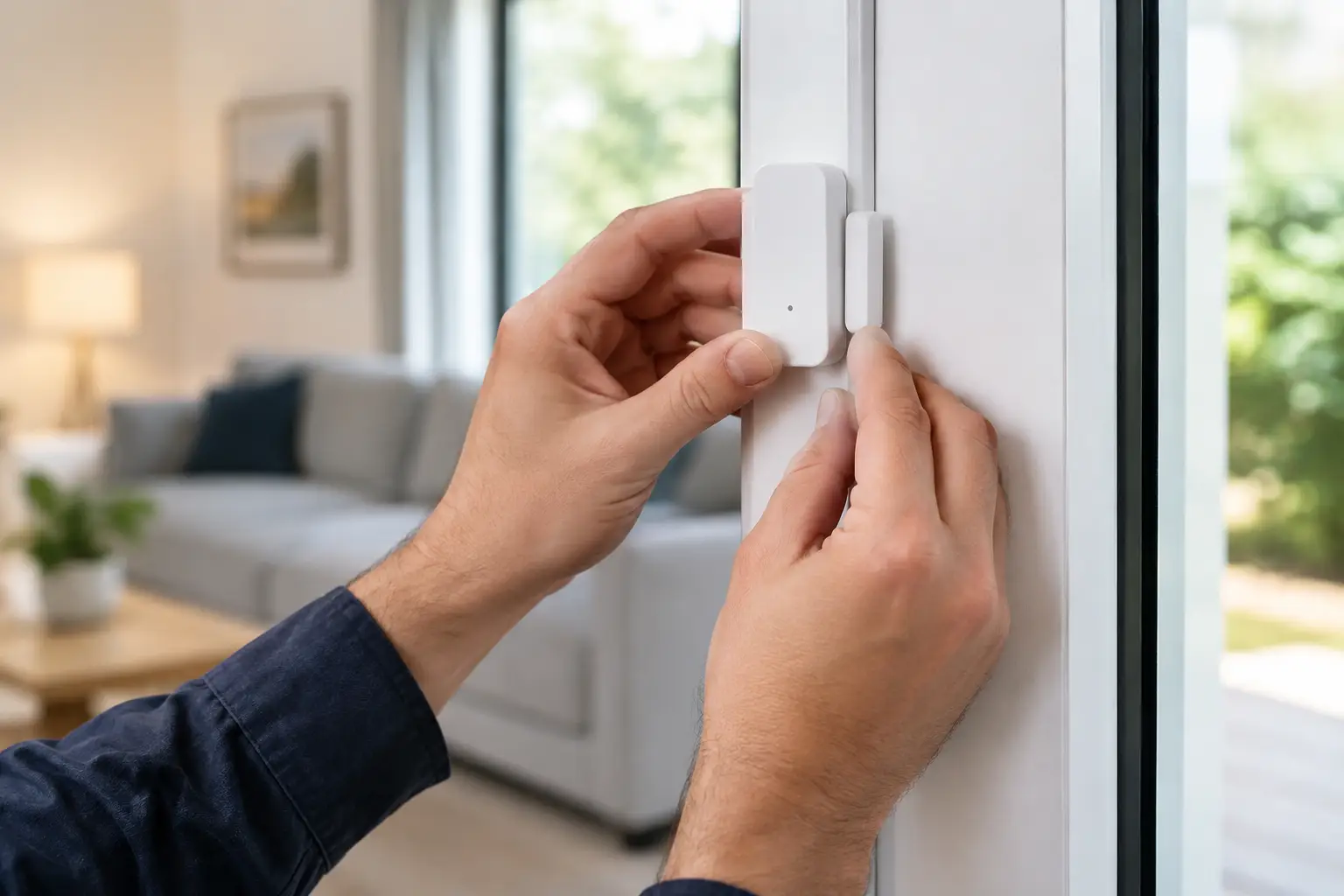
Most sensors consist of two parts: a larger sensor unit and a small magnet. When the door or window is closed, the two parts are close to each other and the system detects a closed state. When they move away, an opening alert is received. It works on front door, patio door, sliding window, closet, drawer and even medicine cabinet door.
The first check is compatibility. There are sensors that connect directly to a wireless network, and others work using standards such as Zigbee, Bluetooth or a dedicated frequency and require a hub. Don't assume that a cheap sensor will work with the app you already have installed. Check on the product page whether it requires a hub, which application manages it, and which Smart home systems are supported.
You should also check the type of battery and how to replace it. A sensor with a common button battery will be more convenient to maintain than a sensor with a unique battery. If it's a main door, look for a low battery alert in the app so you don't find out too late that the sensor has stopped reporting.
What should be prepared?
Most of the time you won't need a toolbox. The sensor comes with double-sided stickers, and sometimes also small screws. Prepare a dry and clean cloth, a little alcohol to clean grease if available, a pencil for marking, and a battery if not included in the package. If you choose to install with screws, add a suitable screwdriver and a drill only if the frame requires it.
The attached adhesive is usually suitable for smooth doors, metal, plastic, glass and painted surfaces in good condition. It is less reliable on rough wood, peeling paint, plaster, a dusty surface or an area exposed to extreme heat and humidity. On an exterior door, especially if the sun hits the jamb for hours, screws can be the safer choice.
How to install a wireless door sensor step by step
Before removing the protective paper from the adhesive, attach the two parts of the sensor to the planned position and check that the door closes normally. Some products have a small line or arrow that marks the alignment point between the unit and the magnet. The markings should face each other.
- Choose a fixed side and a moving side. Usually the large sensor unit is glued to the fixed frame and the magnet to the sliding door. You can flip between them if the structure is more convenient, as long as the two parts are aligned.
- Place the sensor as close as possible to the edge where the door opens, usually at the top. This location is less prominent, further away from accidental hits, and generally allows for better alignment. On a sliding door, install it on the side where the two parts come together when closing.
- Clean both surfaces and wait for them to dry completely. Dust and grease are the most common reason why a sensor falls off after a few days, even when the sticker itself is of good quality.
- Mark the installation points with a pencil. Close the door and check again that the gap between the sensor and the magnet meets the manufacturer's instructions. In many of the models the gap should be less than one centimeter, but don't rely on a rule of thumb alone.
- Remove the adhesive shield, attach the sensor unit to the surface and press firmly for about 30 seconds. Repeat the operation with the magnet. Wait a few minutes before opening and closing again, to allow the glue to adhere well.
- Insert the battery or remove the insulation tab, if present. A small light may flash to confirm that the sensor is active. Do not close a cover that is difficult to open yet before you have completed the process of connecting to the application.
- Add the sensor to the system. Open the manufacturer's app or the smart home app, select add device, and put the sensor into pairing mode according to the instructions. Usually you press and hold a small button for a few seconds.
- Check out real action. Close the door, wait for the app to display a closed status, then open it. Make sure the alert arrives and the response time is reasonable. Do the test at least three times before you trust the sensor for security or automation.
The spacing and alignment determine if the sensor will work
It is not necessary for the sensor and the magnet to touch each other, but they must be close and in a suitable line. If the magnet is mounted too high or low in relation to the sensor, the system may display an open door even when it is closed. This problem is common in jambs with a protrusion, heavy metal doors and sliding windows.
In many models the small magnet can be moved a little before the glue is completely set. If the opening test fails, do not rush to change the product: try to bring the magnet closer, align it with the sensor marking, and check again. If the door shakes in the wind or has a large clearance, leave an extra small gap to prevent random position changes.
App connection and useful automations
After the sensor appears in the app, give it a clear name such as "front door", "children's room window" or "cleaning cupboard". An accurate name saves confusion when an alert is received, especially in a home with several sensors.
The basic use is to receive a notification every time you open it, but you won't always want to be notified of every movement in the house. At the front door, you can set a message when the door is opened at night. In the window, you can set a reminder if it remains open for a long time. In a cabinet or drawer, the sensor can activate smart lighting or record opening without the noise of an alarm.
The options depend on the system you have chosen. A cheap stand-alone sensor may only offer alerts, while a sensor connected to a hub can be integrated into more complex scenarios. Before buying, you should decide if the goal is to know that the door has been opened or to build automations at home. This is the difference that can justify a slightly higher payment.
Glue or screws: which is better?
Adhesive is a fast, clean solution and is especially suitable for renters or those who do not want to damage the frame. It also allows you to test a location for a few days before committing to a permanent installation. The downside is that it depends on the quality of the surface and the environmental conditions.
Screws are more suitable for an entrance door that opens and closes dozens of times a day, for a rough surface, or for a place where the fall of the sensor could damage the operation. However, you should not drill into a metal door, an aluminum frame or a rented frame without making sure that it is allowed to do so. If the sensor is light and the glue is of good quality, drilling is usually not necessary.
Common faults after installation
If the app always shows an open state, check the distance and alignment first. If the sensor does not appear in the app, make sure it is in pairing mode, that the battery is removed from the isolation, and that the hub is in range. In models that work on a dedicated frequency, a thick concrete wall or a metal door can weaken the reception.
False alarms are usually caused by a door not closing all the way, a magnet too far away, a low battery, or an automation set too broadly. You should first examine the event history in the application: if the alarm hours are fixed, it may be the wind, the use of the household members or a timed scenario rather than a malfunction.
If the glue starts to loosen, don't stick it again on the same dirty surface. Remove residue, clean thoroughly and use a new sticker that matches the weight of the sensor. A correctly placed sensor is a small product that provides a lot of useful information - and it works best when the installation is precise, simple and adapted to your door.